
Time Log Types allow you to define different billing categories for time tracking (e.g., Regular, Overtime, Emergency Callout) and map them to specific Products for accurate billing.
Steps:
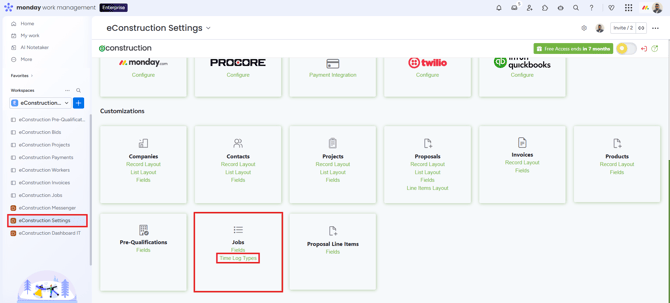
- Navigate to Settings > Customizations > Jobs > Time Log Types.
- Enter a Name (e.g., "Overtime") and Description.
- Select the Product this time type maps to (this ensures the correct rate is used when billing).
- Set the Multiplier (e.g., "1.5x" for overtime) and Min Hours (e.g., "2.00" for minimum callouts).
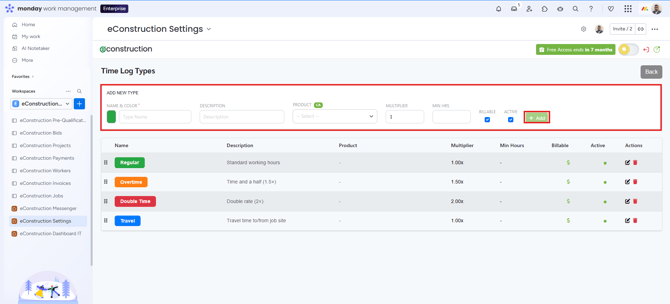
- Click + Add .